When off-the-shelf software stops fitting, we build the system around the work.
Your business shouldn't have to change how it operates to satisfy generic software. We learn how the work actually happens, identify what keeps getting in the way, and build the custom system around it.
PayCanvasPROJQTENGAGEDifferent businesses. Systems built around the work.
Built around the business
Every business has a different problem hiding inside the work.
Below are examples of what becomes possible when technology is designed around how a business actually runs—not the other way around.
PayCanvas
Top Tier Watersports · Payroll operations
Payroll went from a week of coordination to under two minutes.
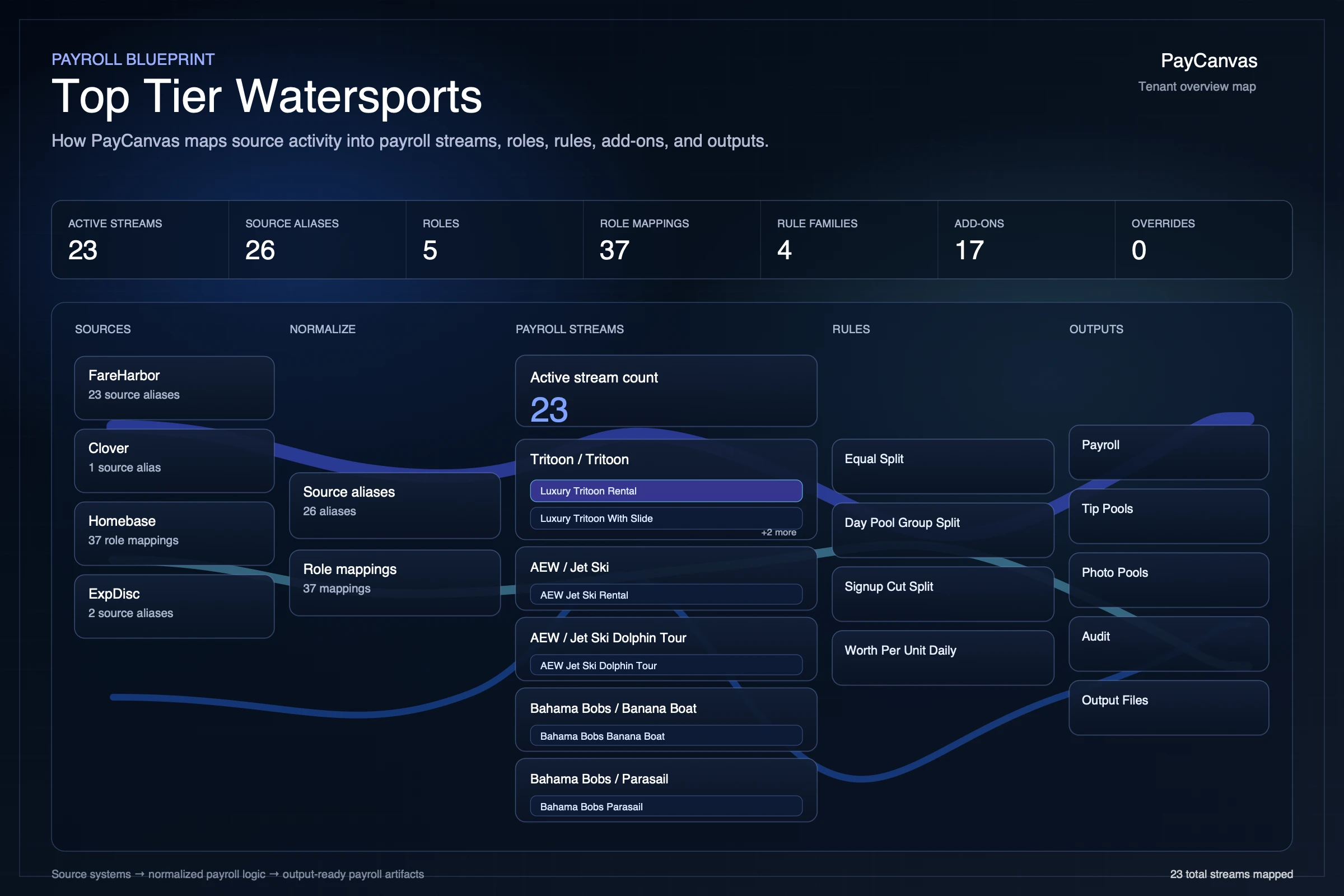
Payroll depended on a shared spreadsheet, scattered notes, and rules that lived in one employee's head. We clarified how the business actually handled every case, built PayCanvas around that operation, and proved the new system against the old process before switching over.
Illustrative interface · synthetic names and payroll data
Outcome
Payroll became a result the business could trust.
Historical payroll preserved. Every result connected to its source and rule.
PayCanvas Payroll, simplified
BeforeSeveral days.
Three people coordinating a payroll run.
With PayCanvasUnder 2 minutes.
Accurate. Reliable. Traceable.
Rules clarified
Results traceable
History preserved
PROJQT
Regional field-service company · Connected operations
A paper-driven business became one connected operation.
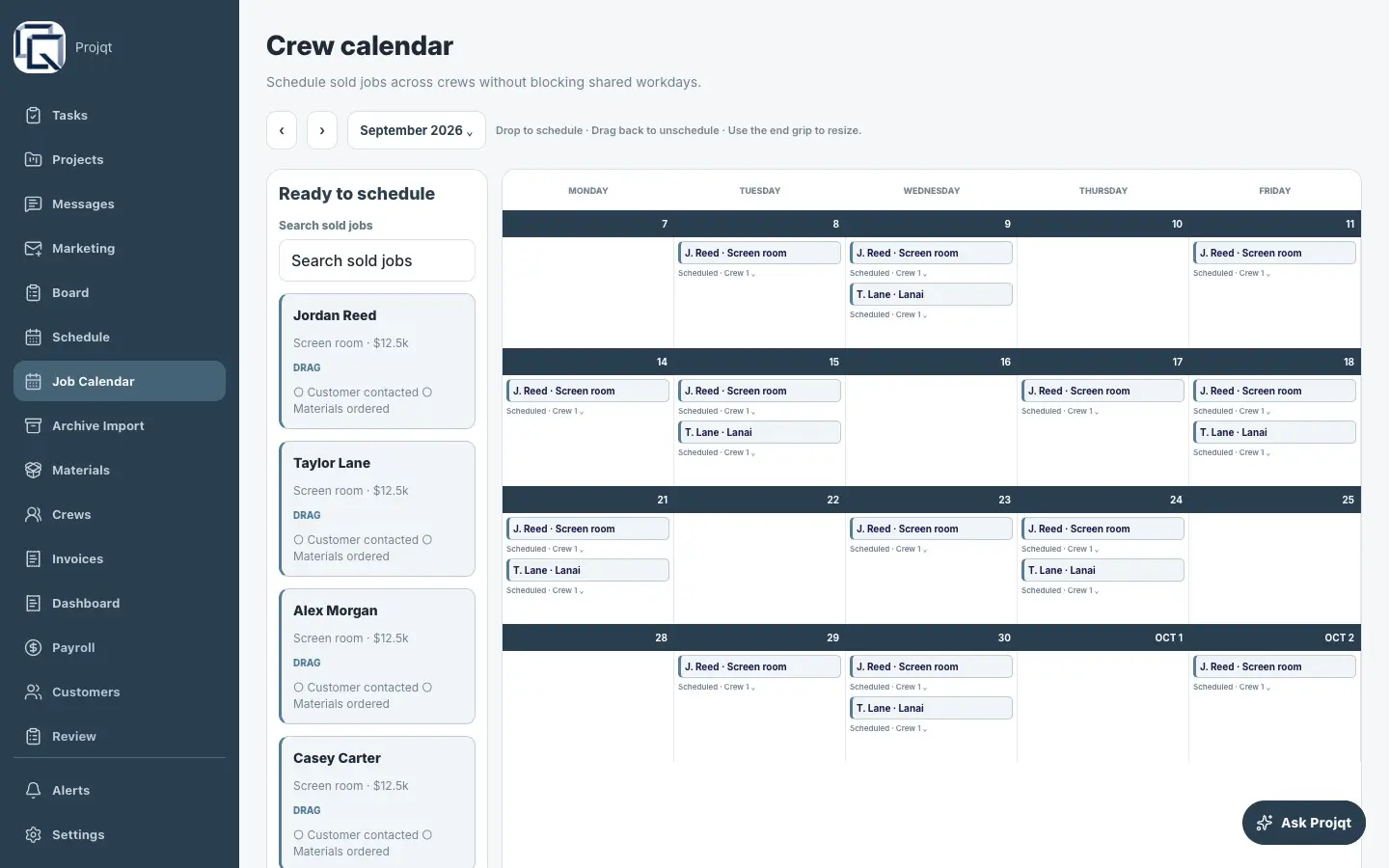
Nearly two decades of handwritten contracts, customer history, job details, quotes, sketches, and accounting records were spread across filing cabinets and paper packets. We built one mobile and web system around the company's familiar workflow—from the first appointment through quoting, engineering, permitting, installation, invoicing, and payment.
Years of customer and project history existed only on paper.
Handwritten contracts held valuable customer relationships and job history, but none of it was searchable or reusable without finding the original file.
2008 → todayCustomer history locked in paper records
Recover the history
Scanned contracts became usable customer and project records.
Batch intake and AI-assisted extraction turn the paper archive into structured records ready for human review and everyday use.
Actual product screen mock · exported from Paper
Schedule the work
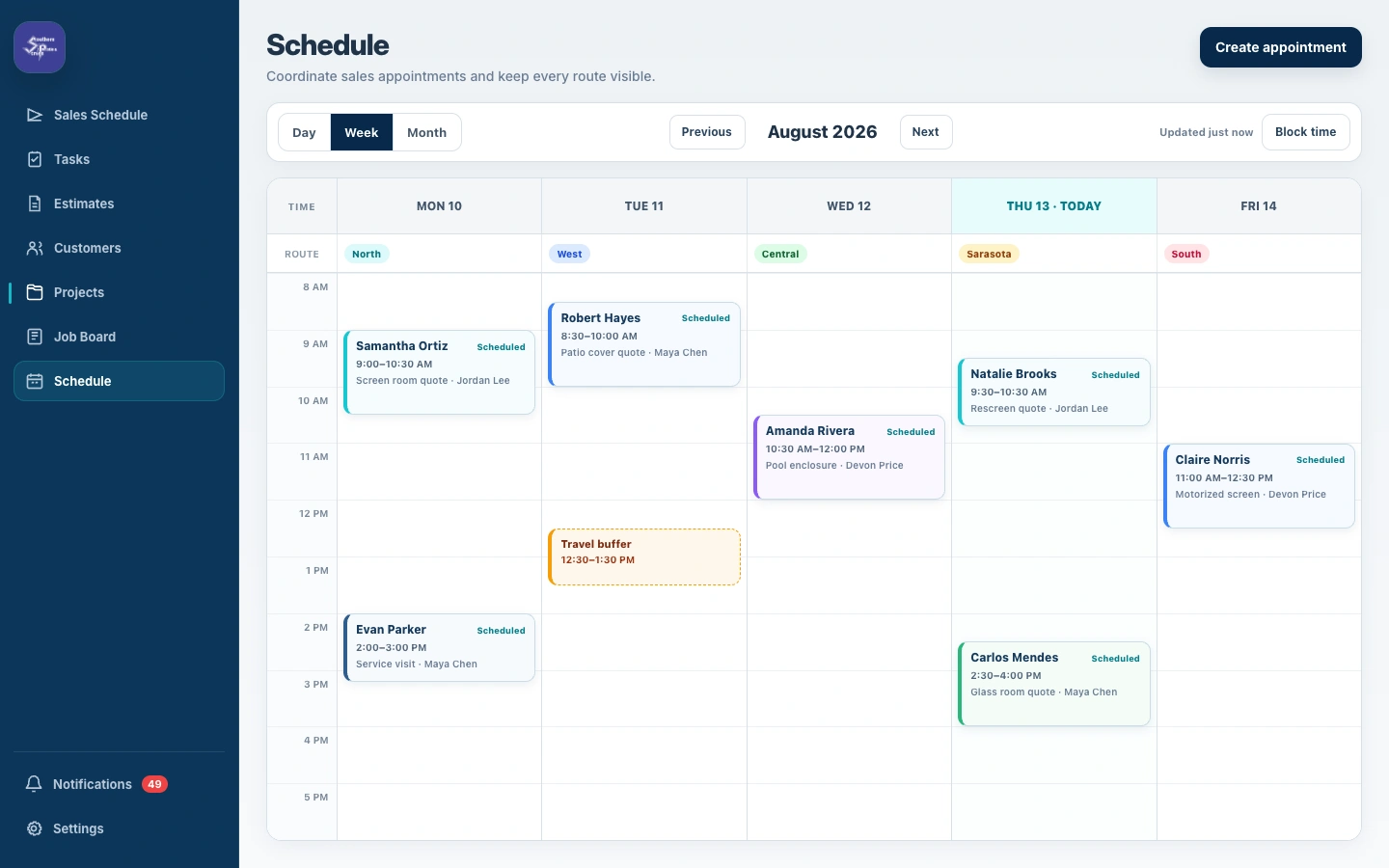
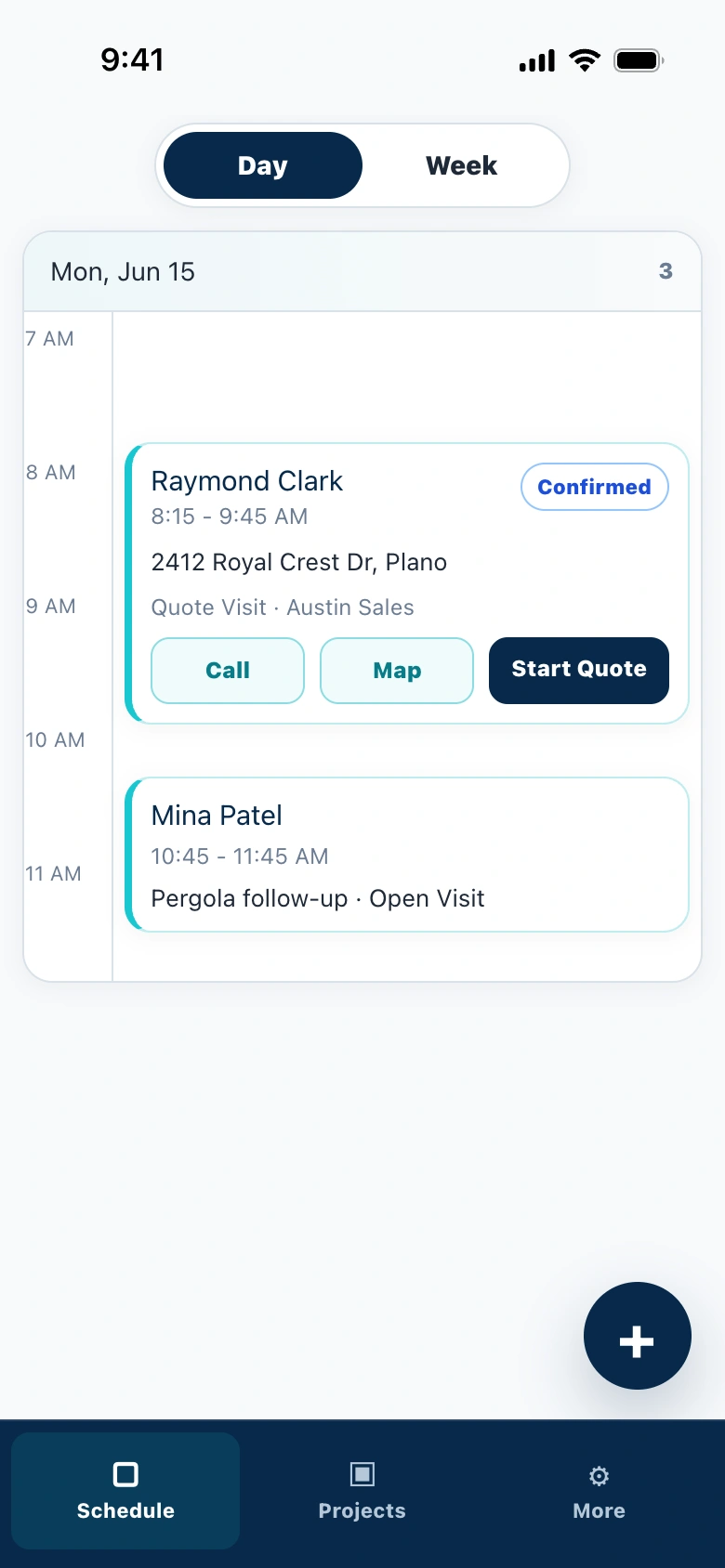
Appointments and travel time were planned together.
Office staff could assign appointments, account for drive time, and keep every sales route visible without rebuilding the schedule by hand.
Measure the site
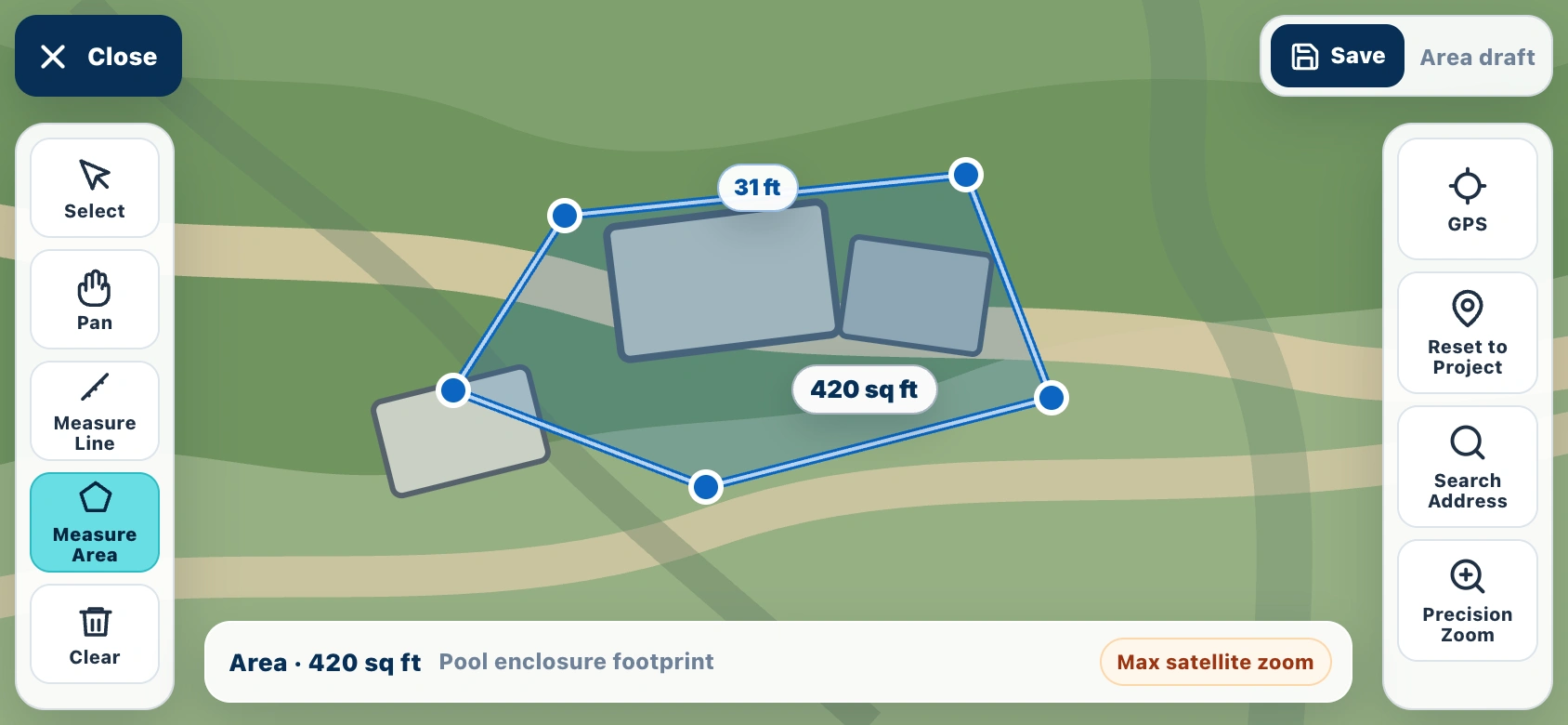
The property itself became part of the project record.
GPS and parcel-map context let the team measure footprints and understand offsets before engineering and permitting began.
Quote digitally
Handwritten math became a complete digital quote.
Scope, pricing, project visualization, site plans, payment schedule, and approval now travel together in one customer-ready record.
Scroll the quote to see the complete customer-facing record.
Follow the project
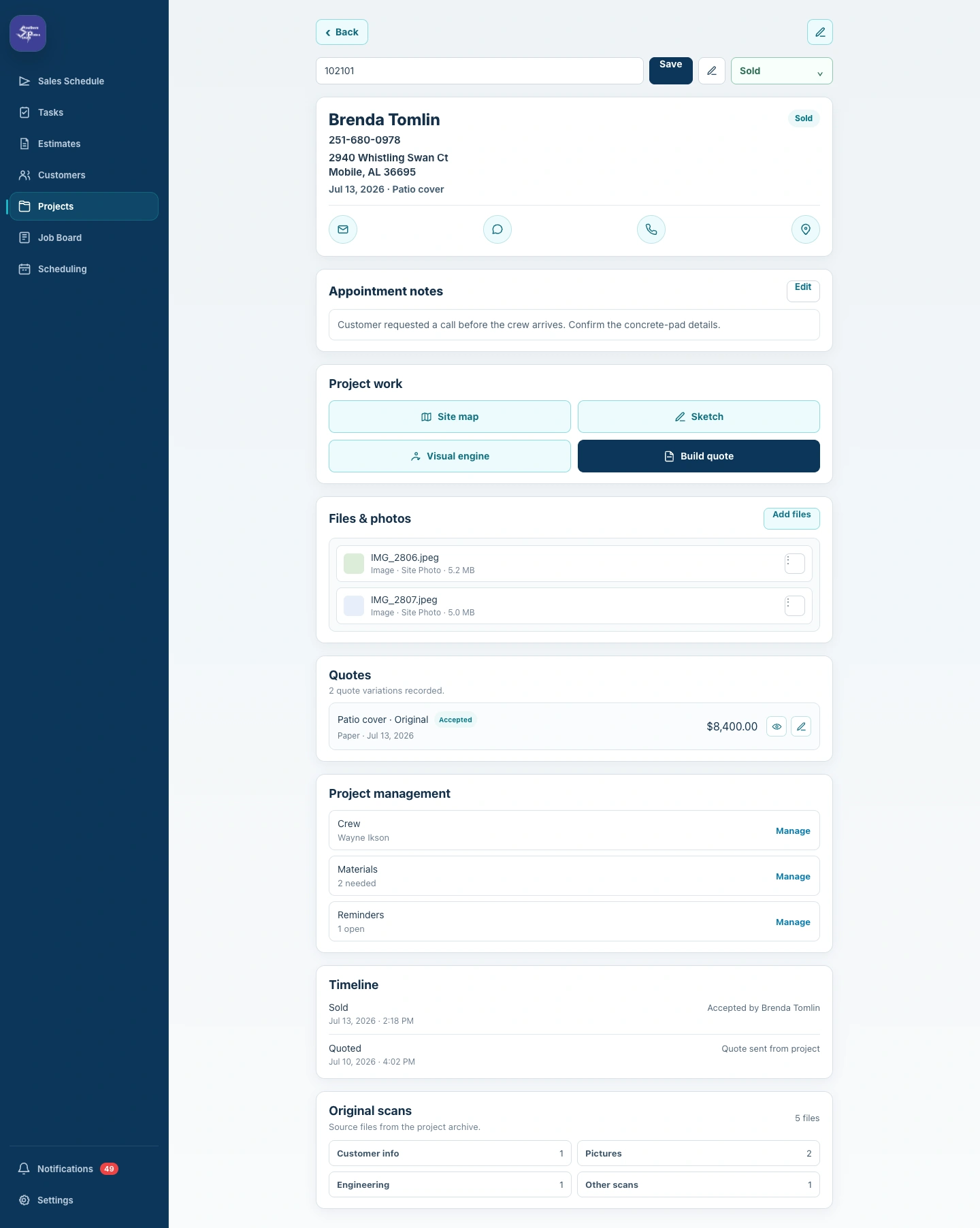
The project record stayed with the work.
Customer details, files, quotes, crews, materials, reminders, timelines, and original scans remained connected from the office to the field.
Scroll the record to follow the operational context.
See the operation
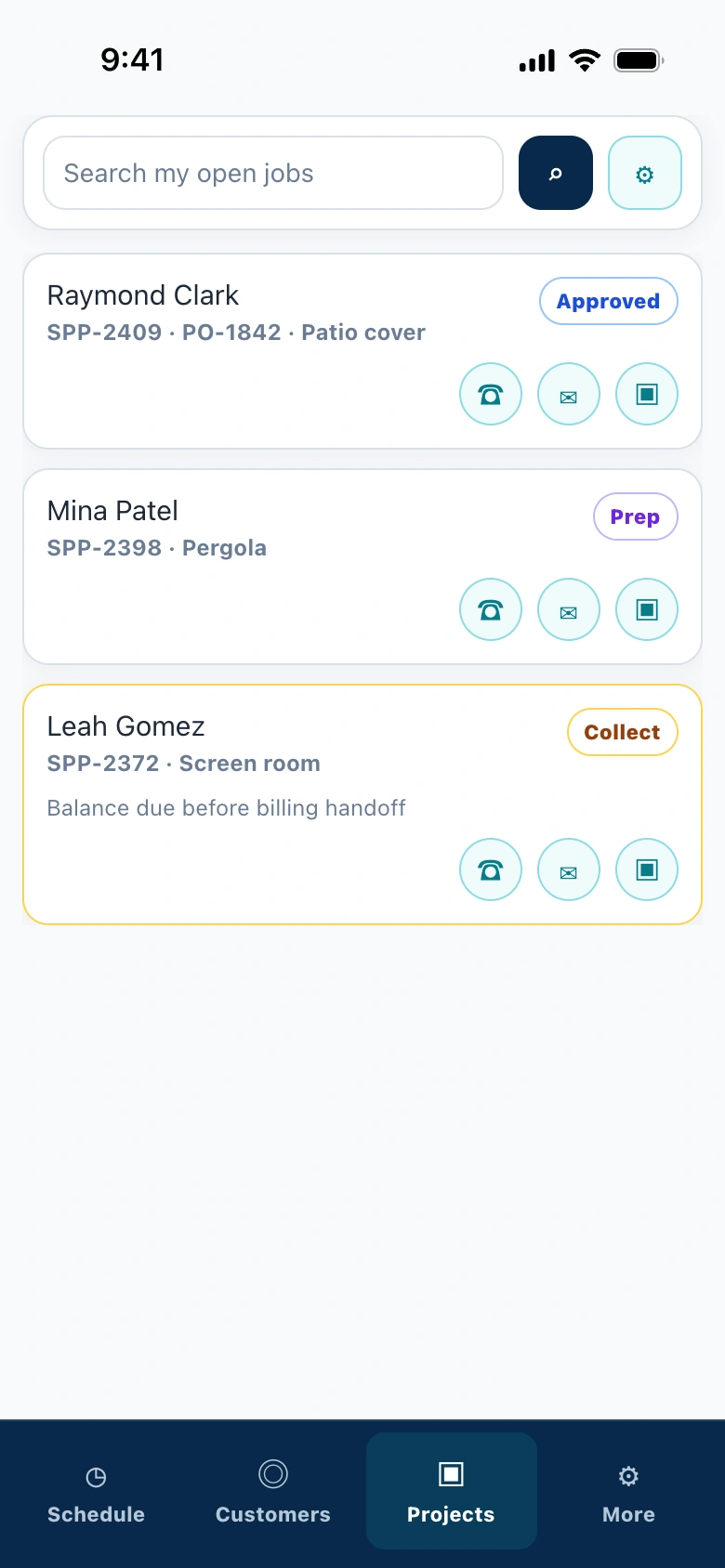
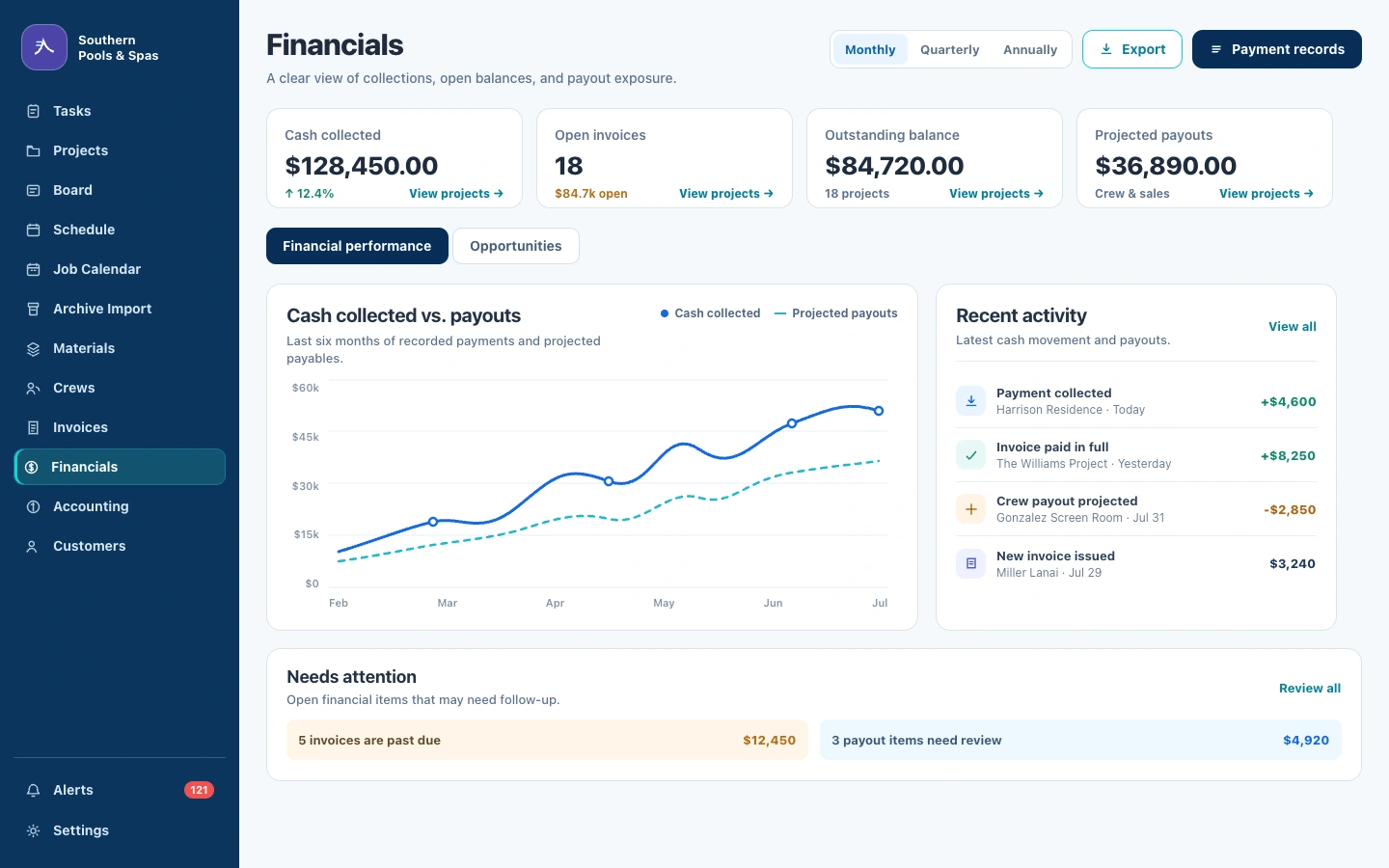
Office, field, and accounting finally shared one view.
Collections, open invoices, project balances, crew payouts, and recent activity became visible without rebuilding the story from separate paper records.
ENGAGE
Engage · Customer conversations
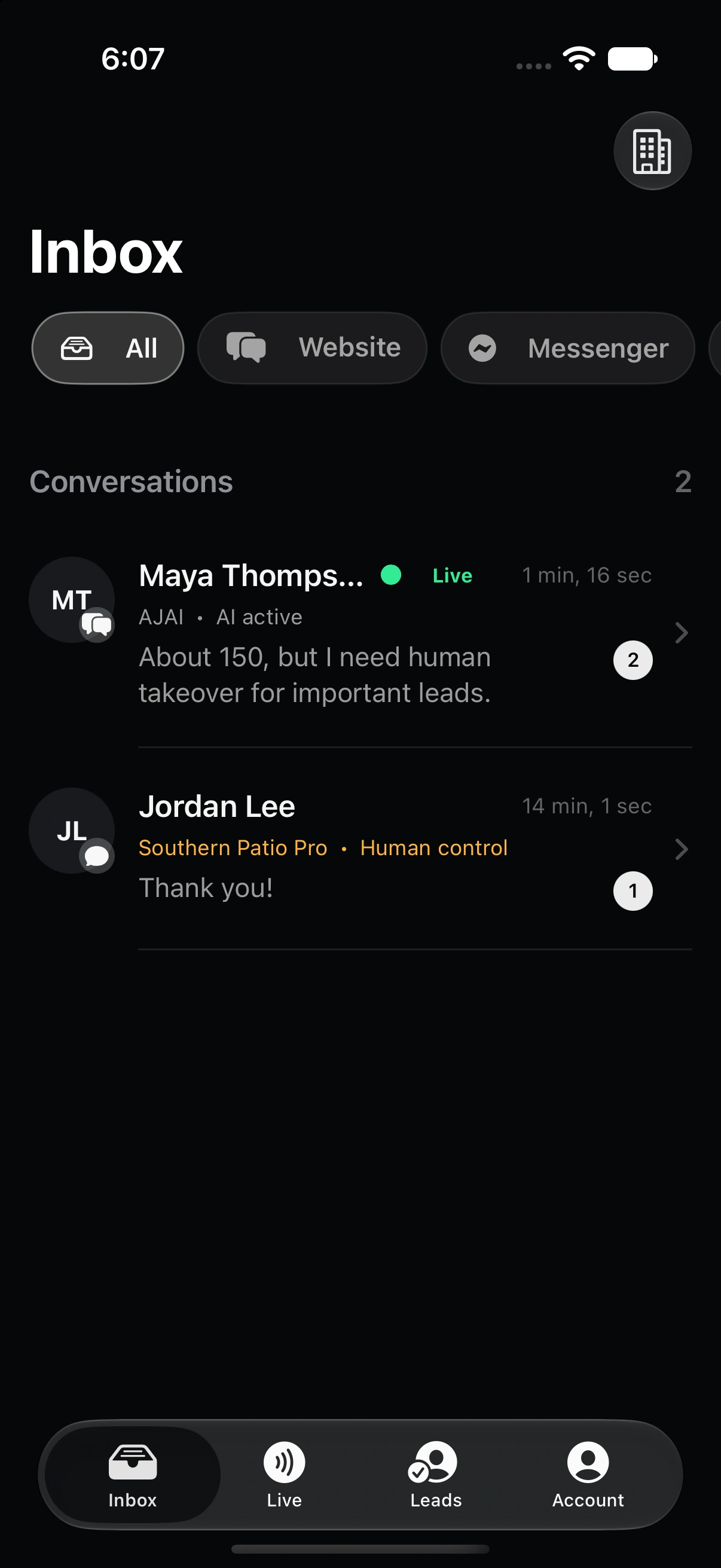
Every customer gets an answer. Your team doesn't have to answer everything.
Calls, website chats, emails, and texts were pulling teams away from the work only they could do. We built Engage as one AI-assisted conversation layer across voice, website chat, email, and SMS—grounded in the business's real knowledge, ready to qualify the request, and able to bring in a person with the full context attached.
My AC is running but the house is still 82°. Can anyone come this week?
I can help. You’re in our service area, and I found two available windows. Is tomorrow morning or Thursday afternoon better?
Tomorrow morning.
Appointment ready
Tomorrow · 8–10 AMDiagnostic visit · 2412 Royal Crest Dr.
Write a reply…
Knowledge-backed conversation
Qualify the opportunity
The next conversation starts with the right context already collected.
Engage can identify the need, urgency, location, and preferred next step before the request ever reaches the team.
SMS follow-up
Human takeover
When judgment matters, the person steps into a conversation—not a blank screen.
The full transcript and collected context move with the customer, so staff can take over without asking them to start again.
Human takeover
The outcome
The customer gets an answer. The team gets a qualified next step.
Questions become useful conversations, qualified opportunities, and booked appointments—without making the front desk repeat the same information all day.
Qualified conversationsConversation volume that reached a useful next step
+28%
300200100
W1W4W8W12
Channel mixWhere conversations begin
1,184started
Voice42%
Website28%
SMS18%
Email12%
Conversation funnelVisitors to confirmed appointments
4.6×
Visitors8,420
Conversations1,184
Qualified386
Booked142
Today's outcomesQualified by Engage
Cooling diagnosticJordan Miles · Voice
Booked
Patio estimateAvery Chen · Chat
Booked
Warranty visitTaylor Brooks · Email
Ready
Local service businesses · Opportunity intelligence
The first credible response often gets the customer.
Every day, people ask local groups for recommendations, estimates, and help finding reliable businesses. We built Lurker to identify the posts showing relevant buyer intent, alert the business while the opportunity is fresh, and help the team prepare a useful response without giving up control of what gets posted.
High-value buying signals were buried in everyday conversation.
Local groups generate hundreds of posts, comments, and recommendations. Only a few may describe the exact service a business provides—and finding them manually means reading everything.
Local homeownersCan anyone recommend a contractor for a screened porch?
Community discussionLooking for someone to replace our roof before storm season.
Neighborhood groupWho has used a reliable pool-service company nearby?
General conversationSchool schedules, events, lost pets, and everyday updates.
Find the signal without reading every post.
The missed moment
An opportunity discovered too late is often no longer an opportunity.
For high-value services, response time matters. By the time someone on the team notices a relevant post, another company may already have started the conversation.
09:14Request postedBuyer intent becomes visible
09:16Lurker alertRelevant post reaches the team
NowOpportunity readyOriginal context attached
Useful while the conversation is still open.
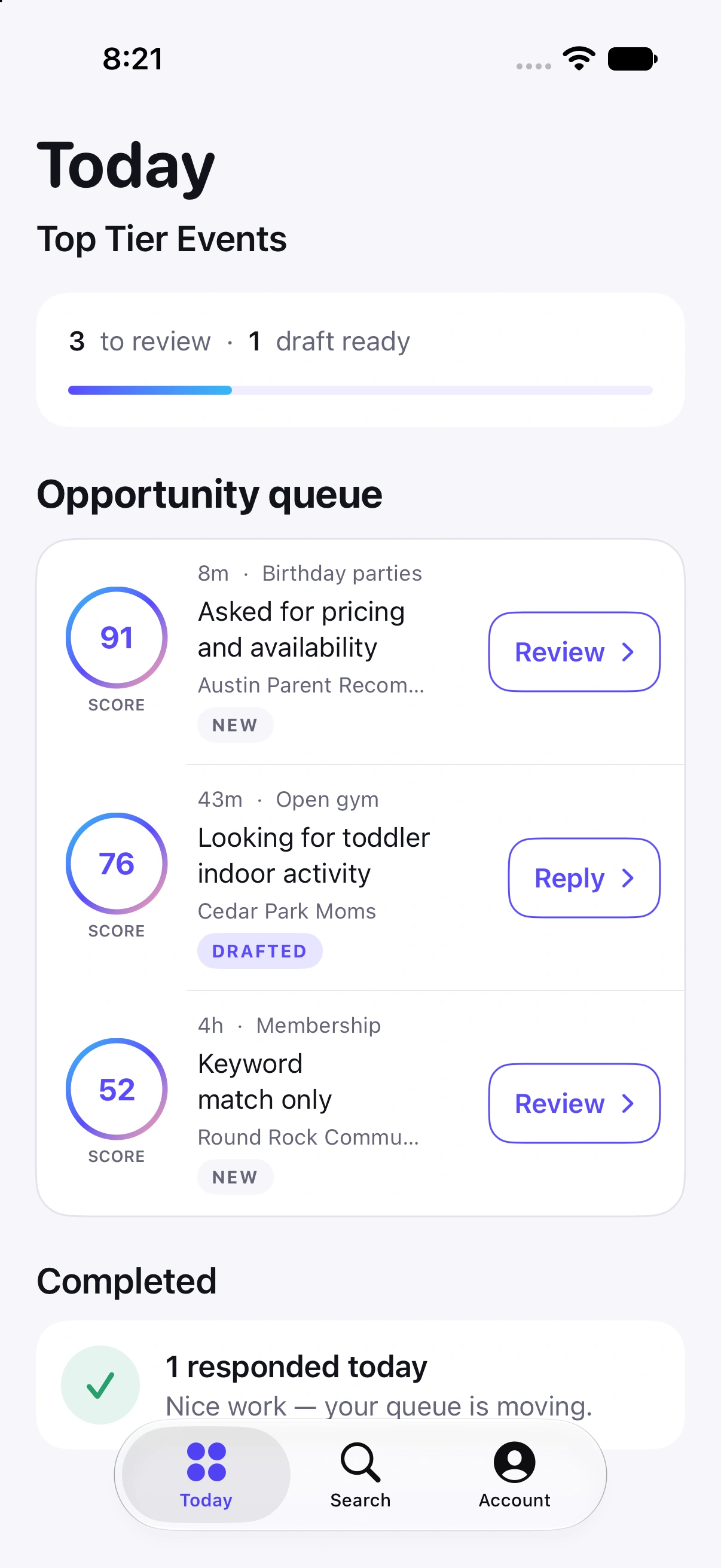
The opportunity queue
Lurker brings the posts worth reviewing into one focused queue.
Selected communities are monitored continuously. Relevant requests are identified, organized, and delivered with the original context while the buyer's intent is still fresh.
Selected communitiesThe business chooses where Lurker watches.
Relevant intentPotential requests are separated from general activity.
One review queueThe original post and context stay together.
Current native Lurker app · opportunity queue
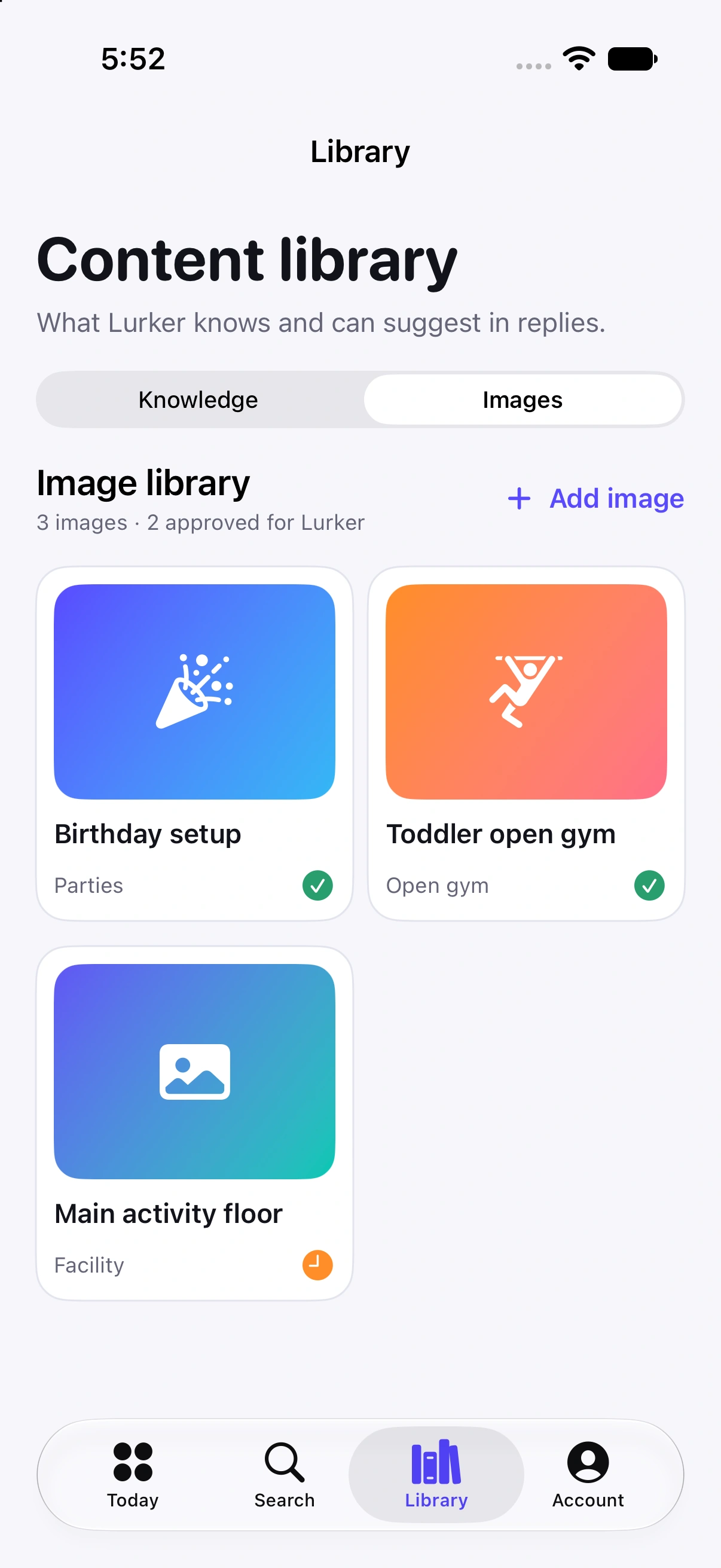
The response
The team can respond quickly without sounding automated.
Lurker helps prepare useful, brand-aligned language and keeps approved imagery ready for the conversation. The business still decides what gets posted.
Response workspaceHelpful language. Approved visuals. Human decision.
The team gets a faster starting point while keeping control of the final response.
Context retainedBrand readyReview before posting
Current native Lurker app · content library
The outcome
Attention moves from monitoring feeds to winning the right conversations.
The business can respond earlier and more consistently, with the context needed to be credible. In a high-ticket category, one recovered opportunity can be meaningful.
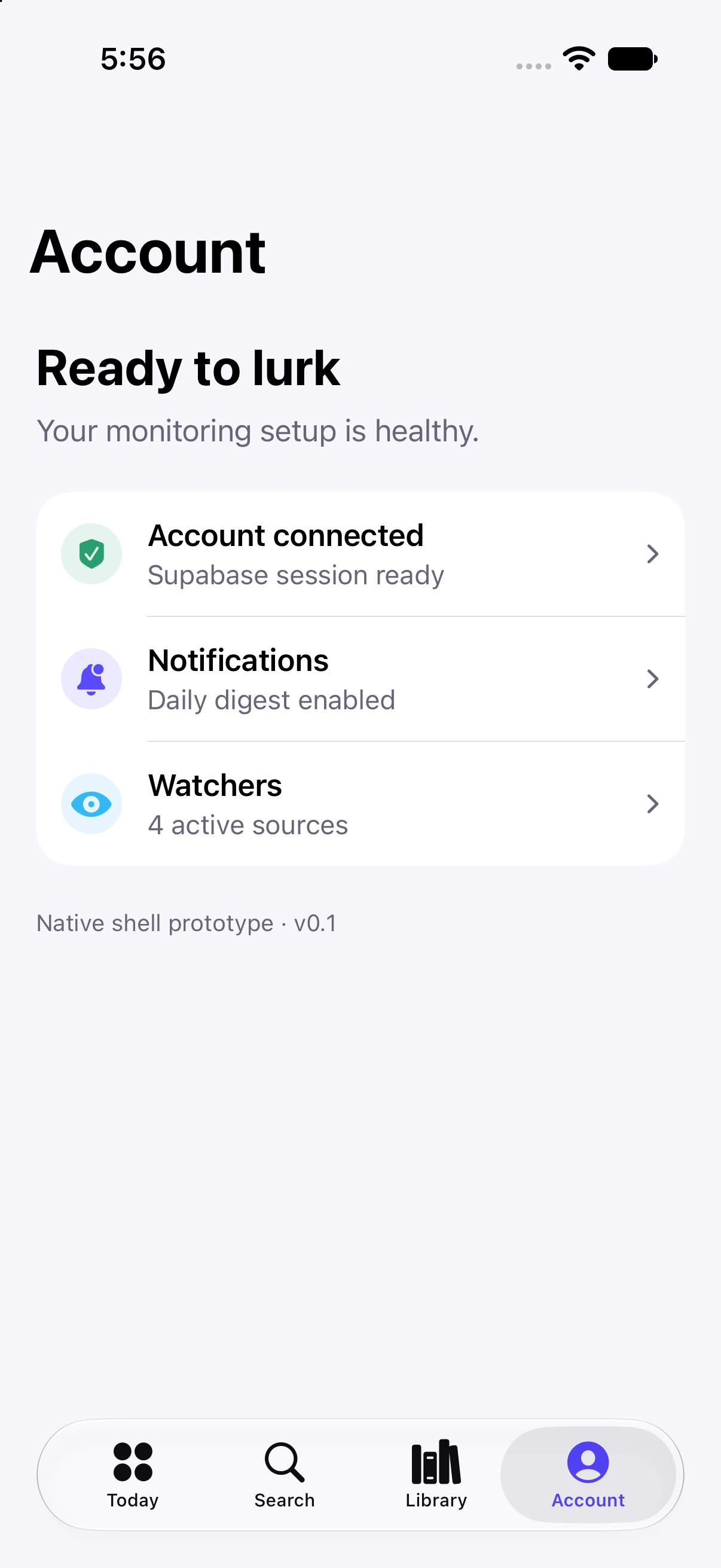
The operational shiftFrom searching through feedsto reviewing opportunities.
Monitoring stays active. The team's attention goes to the conversations worth joining.
Monitoring health and opportunities stay connected.
Independent R&D · Market data + machine learning
A model is only as trustworthy as the pipeline feeding it.
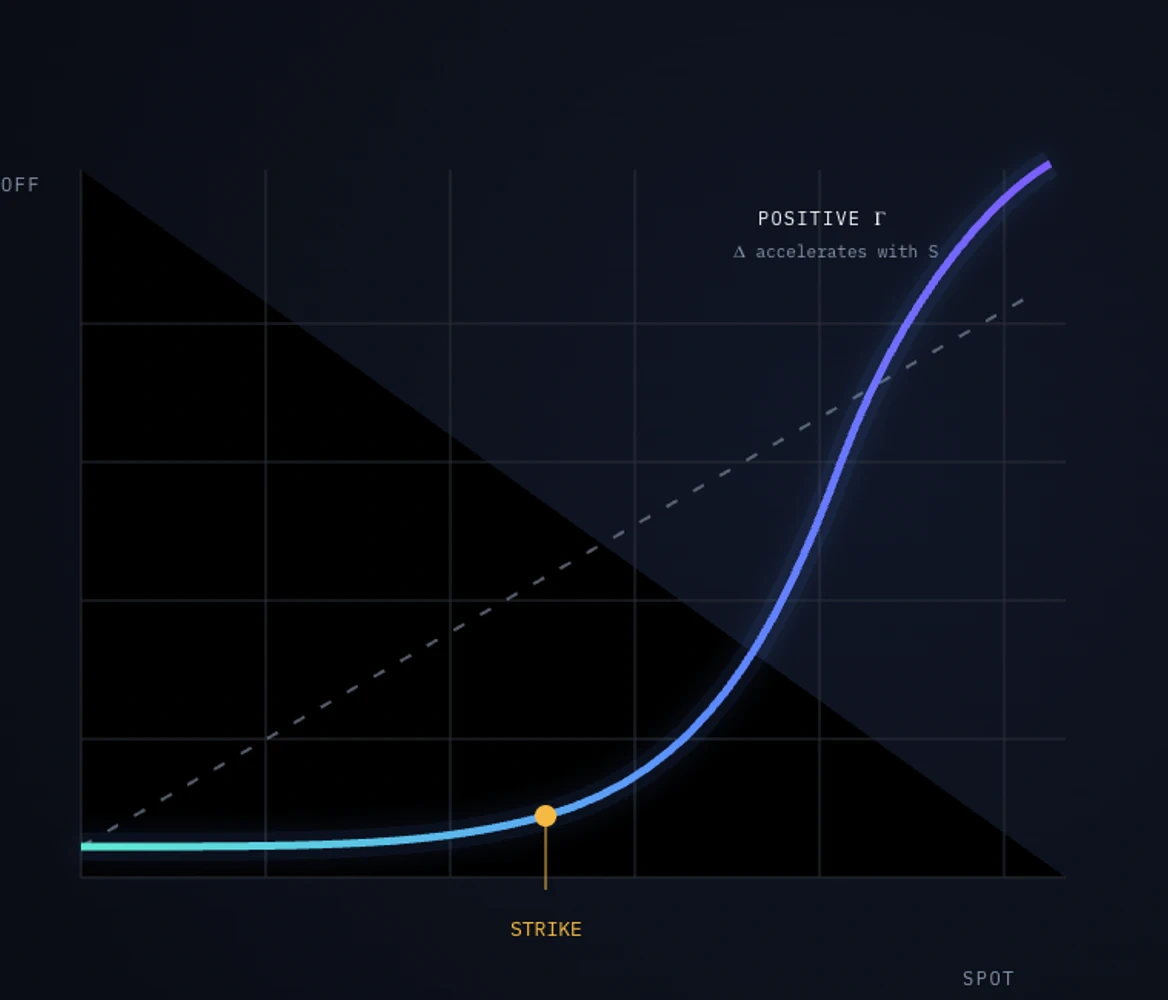
Financial markets are one of the most demanding environments in which to keep data timely, consistent, and comparable. We built an ETL and machine-learning research system that collects and reshapes historical futures and options data, applies the same data contract to live feeds, and compares potential volatility expansion with the volatility already priced into the market.
The difficult part starts before a model sees the data.
Futures trades, option chains, volatility surfaces, timestamps, expirations, and contract changes arrive from different sources with different assumptions.
FuturesTrades + quotesMultiple contracts · rolling expirations
Different sources. Different clocks. One decision has to reconcile them.
Historical + live parity
Live information must have the same meaning as the history used for testing.
A model trained on carefully prepared history cannot be trusted if the live pipeline calculates, aligns, or timestamps the same inputs differently.
Historical research
Tested feature shape
Same definitionsTime · contracts · features
Live analysis
Production feature shape
The data contract
One repeatable pipeline turns fragmented feeds into comparable features.
The ETL system validates source data, normalizes contracts and time, engineers the required features, and preserves the transformation used for every observation.
IngestFutures + options feeds
ValidateMissing, late, or malformed
NormalizeTime + contract continuity
TransformModel-ready features
ObserveTraceable live output
One data contractHistorical and live inputs arrive at the model with the same meaning.
Forecast versus pricing
Expected volatility becomes useful when it can be compared with what the market already priced.
The research system evaluates potential volatility expansion and compares the model's expectation with the implied volatility embedded in options pricing.
Model expectation Market-implied pricing
The research loop
Research, live analysis, and inspection now operate through the same system.
The result is a continuously operating loop where assumptions can be traced, discrepancies can be inspected, and new ideas can be tested without rebuilding the data foundation.
Research loopMeasured · comparable · inspectable
CollectHistorical and live feeds
TestWalk-forward evaluation
CompareForecast versus pricing
InspectTrace the discrepancy
Ongoing independent research · Not investment advice or a performance claim
Start with the friction
What do you dislike most about running your business?
Tell us where the work feels harder than it should. Then, if it makes sense, choose a time directly from AJAI’s calendar.


 PROJQT
 ENGAGE
 PayCanvas
 PayCanvas Payroll, simplified


 ENGAGE

 Engage